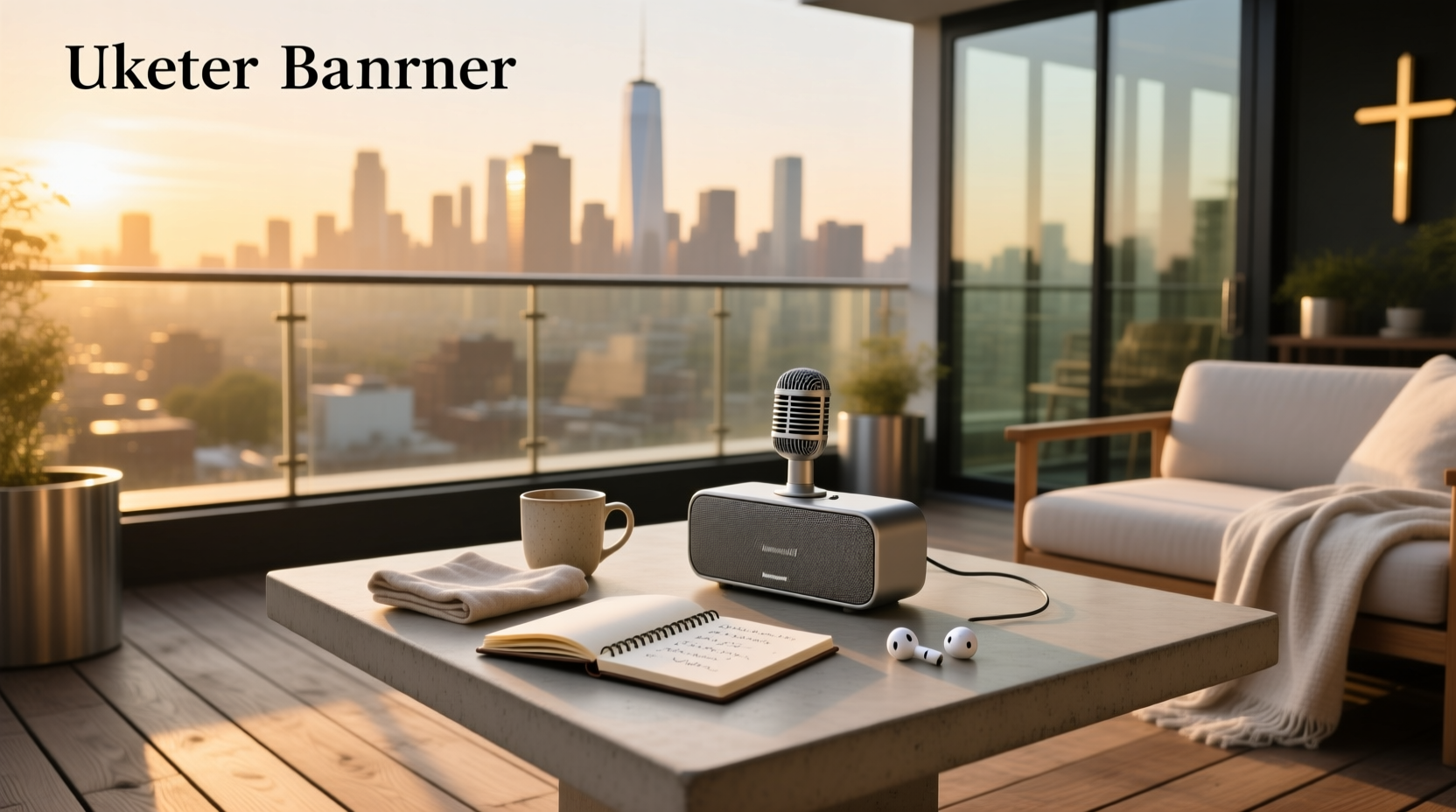
You’re not imagining it: finding a true bluetooth speaker microphone — a single device that both plays high-quality audio and captures clear voice input over Bluetooth — is unusually difficult. Most so-called 'Bluetooth speakers with microphones' only include a basic hands-free call mic (not for recording or live vocal reinforcement), while others bundle separate wireless mics that don’t pair directly with the speaker — they connect via analog 3.5mm or proprietary RF, not Bluetooth audio profiles. This mismatch causes widespread confusion, buyer frustration, and returns. In this guide, we clarify exactly what works, why most listings mislead, and how to identify devices that genuinely support bidirectional Bluetooth audio — whether for karaoke, outdoor announcements, classroom voice amplification, or hybrid remote meetings.
Why the Confusion? Understanding Bluetooth Audio Profiles
The core issue lies in Bluetooth protocol design. Standard Bluetooth speakers operate as A2DP sinks — they receive stereo audio streams but cannot accept microphone input. To send voice to a speaker, the device must act as an HFP (Hands-Free Profile) or HSP (Headset Profile) gateway, which requires dedicated firmware support, hardware-level echo cancellation, and proper microphone preamp circuitry. Few consumer-grade portable speakers implement this correctly. Instead, many manufacturers label products as “Bluetooth speaker with microphone” simply because they include a tiny built-in mic for phone call pickup — not for vocal performance, speech reinforcement, or recording.
This distinction matters critically:
- Call mic only: Accepts voice during phone calls when paired with a smartphone. Does not route mic audio through the speaker’s amplifier for live monitoring or group listening.
- True bidirectional speaker-mic: Lets you speak into a wireless mic (or built-in mic), and hear your voice amplified in real time through the speaker’s drivers, without external mixers or apps.
- Mic + speaker kit: Includes separate wireless mic(s) and speaker — but connection is typically analog (1/4" or 3.5mm TRS) or UHF/2.4GHz RF, not Bluetooth. Bluetooth here only handles music playback; mic audio travels via wired or proprietary wireless link.
What Real-World Use Cases Actually Require a Bluetooth Speaker Microphone?
User search behavior — reflected in terms like “karaoke bluetooth speaker with wireless microphone,” “bluetooth speaker with microphone for cell phone,” and “portable microphone and speaker set” — reveals four dominant scenarios. Each has distinct technical requirements:
✅ Karaoke & Home Entertainment
Users want plug-and-play singing with real-time vocal feedback, echo effects, and background music sync. Here, Bluetooth alone is insufficient. True karaoke functionality requires:
- Low-latency audio routing (ideally <50ms end-to-end)
- Dedicated mic inputs (XLR or 6.35mm) or certified 2.4GHz wireless mic receivers
- Onboard DSP for reverb, key control, and vocal balance
- Bluetooth only for music streaming — mic signal stays off-BT to avoid delay and dropouts
Products like the Rockville RPG122K or JBL PartyBox series fall into this category: they bundle UHF mics and internal mixers, but Bluetooth serves music only. Calling them “Bluetooth speaker microphones” is technically inaccurate — they’re PA systems with Bluetooth input.
✅ Voice Amplification (Classrooms, Tours, Small Venues)
Teachers, tour guides, and fitness instructors need lightweight, battery-powered voice boost without cables. A genuine Bluetooth speaker microphone here means:
- Integrated mic + speaker in one handheld unit (e.g., voice amplifier style)
- Support for Bluetooth pairing as an audio source — so you can stream instructions from a tablet while speaking live
- No reliance on smartphones for processing — all amplification happens onboard
Devices such as the HW HAOWORKS Bluetooth Wireless Microphone Voice Amplifier meet this need. They use Bluetooth for auxiliary audio (background music or prompts), while the primary mic feeds directly into the speaker amp. No Bluetooth mic profile required — just dual-input architecture.
✅ Hybrid Remote Meetings (Home Office / Field Work)
Professionals seeking “bluetooth speaker microphone for computer” often assume plug-and-play USB-C or Bluetooth conferencing. Reality check: most portable Bluetooth speakers lack certified USB audio class (UAC2) or Microsoft Teams/Zoom certification. For reliable computer use, look for:
- USB-C or USB-A connectivity with native plug-and-play audio interface support (no drivers)
- Multi-point Bluetooth (connect to PC and phone simultaneously)
- Far-field beamforming mics + AI noise suppression (not just one omnidirectional capsule)
Jabra Speak series and Poly Sync devices are engineered for this. They appear as both speaker and microphone in OS audio settings — because they implement USB audio + Bluetooth HFP correctly. Generic Bluetooth speakers do not.
❌ General Bluetooth Audio Playback + Casual Mic Use
If your goal is simply taking calls or using voice assistants (Alexa, Google Assistant), almost any modern Bluetooth speaker with a call mic suffices — but don’t expect studio-grade clarity or low-latency monitoring. These mics are optimized for narrowband telephony (300–3400 Hz), not full-range vocal reproduction.
How to Verify If a Product Is a Genuine Bluetooth Speaker Microphone
Don’t trust marketing copy. Use this 5-point verification checklist before purchase:
- Check the Bluetooth profile support list in the manual or spec sheet. Look for explicit mention of HFP 1.7+, HSP, or Bluetooth LE Audio with LC3 codec and broadcast audio. Absence = call-only mic.
- Confirm input method: If the product includes “wireless microphones,” determine if they connect via Bluetooth, 2.4GHz, or UHF. True Bluetooth mic pairing is rare below $250 and usually limited to professional gear (e.g., Shure MVX2U, Sennheiser XSW-D).
- Test latency claims: Search for independent reviews measuring round-trip delay (mic → speaker). Anything >120ms is unusable for singing or live speech. Sub-70ms is ideal.
- Review firmware update history: Manufacturers adding HFP support post-launch (e.g., some JBL models via firmware v2.1+) indicate intentional two-way design — not afterthought labeling.
- Read negative reviews for phrases like: “mic doesn’t work with speaker,” “no sound from mic,” “only works for calls,” or “had to buy a mixer.” These signal integration failure.
Key Technical Specifications That Matter — And Which Ones Don’t
When comparing options, prioritize these metrics — not flashy marketing terms:
| Specification | Why It Matters | What to Look For | Red Flag |
|---|---|---|---|
| Bluetooth Version & Codec Support | Determines bandwidth, latency, and multi-device capability | Bluetooth 5.2+ with aptX Adaptive or LE Audio (LC3) — enables simultaneous audio + mic streaming | “Bluetooth 5.0” listed without codec details; no LE Audio mention |
| Microphone Type & Count | Affects pickup pattern, noise rejection, and voice clarity | 2+ beamforming mics with adaptive noise suppression (not “one built-in mic”) | Vague phrasing: “includes microphone” with no specs |
| Input Latency (Measured) | Critical for live vocal monitoring | Verified <80ms round-trip (check RTINGS.com or SoundGuys lab tests) | No latency data provided; “real-time” used without measurement |
| Audio Interface Mode | Enables direct computer use without Bluetooth dependency | USB-C audio class-compliant (UAC2), recognized as mic+speaker in Windows/macOS | “Works with computers” but requires third-party app or dongle |
| Battery Life (Mic Active) | Many speakers drain fast when mic is engaged due to DSP load | Spec sheet lists runtime with mic active, not just playback | Only “20hr playback” claimed — no mic-use duration given |
Common Misconceptions — Debunked
❌ “If it has Bluetooth and a mic icon, it supports two-way audio.”
No. The mic icon usually denotes call-handling capability only. Two-way Bluetooth audio requires specific stack implementation — and most consumer speakers omit it to reduce cost and complexity.
❌ “Any wireless mic will pair with any Bluetooth speaker.”
False. Consumer Bluetooth speakers lack the necessary receiver firmware to accept incoming Bluetooth audio streams from mics. Wireless mics either use proprietary 2.4GHz protocols (like JBL PartyBox mics) or analog transmission — not Bluetooth audio.
❌ “Higher wattage means better mic performance.”
Irrelevant. Wattage measures speaker output power, not microphone sensitivity, SNR, or preamp quality. A 10W speaker with a high-SNR condenser mic outperforms a 200W unit with a noisy electret capsule.
❌ “Built-in Alexa/Google Assistant means good mic quality.”
Not necessarily. Assistant mics are tuned for wake-word detection at close range (<1m), not full-spectrum vocal capture at distance. Their frequency response is intentionally narrow (typically 100–4000 Hz).
What to Buy — Based on Your Actual Need
Match your use case to the right architecture:
- Karaoke parties: Choose a PA system with bundled UHF/2.4GHz mics and Bluetooth music input — e.g., Pyle PKRK68MC or QFX Portable Party Speaker. Avoid “Bluetooth mic” claims; focus on mic receiver type and echo controls.
- Voice amplification (teachers, guides): Select a dedicated voice amplifier with Bluetooth aux input — e.g., HW HAOWORKS or Amplicomms BigTel series. Confirm it has volume-controlled mic monitoring.
- Computer-based conferencing: Prioritize certified USB-C speakerphones — e.g., Jabra Speak 710 or Poly Sync 20. Skip generic Bluetooth speakers entirely.
- Smart home / hands-free calls: Any reputable speaker with a call mic (JBL Flip 6, Bose SoundLink Flex) works — but manage expectations: it’s for convenience, not fidelity.
Final Recommendation: When to Walk Away
Do not buy a “bluetooth speaker microphone” if:
- The product page avoids specifying Bluetooth profiles (HFP/HSP) or input latency
- Pricing is under $40 — true bidirectional implementation adds significant BOM cost
- It’s marketed as “for kids” or “toy-grade” — these almost never support real mic monitoring
- There are ≥3 unaddressed negative reviews mentioning “mic doesn’t output to speaker”
Instead, consider separating functions: use a proven Bluetooth speaker for music, and add a dedicated USB or XLR microphone (e.g., Samson Q2U, Audio-Technica ATR2100x) for vocal capture. This approach delivers higher reliability, upgrade flexibility, and better long-term value than compromised all-in-one units.
Frequently Asked Questions
- Can I connect a Bluetooth microphone to a regular Bluetooth speaker?
Generally, no. Standard Bluetooth speakers act as audio sinks, not sources. A Bluetooth mic transmits audio — but the speaker lacks firmware to receive and process that stream. You’d need an intermediary device (e.g., Bluetooth audio receiver with mic input, or a mixer with Bluetooth). - Do any portable speakers support Bluetooth mic input natively?
Yes — but rarely in consumer models. Professional portable PA systems like the Electro-Voice ZLX-12BT (discontinued but referenced in legacy specs) and newer Shure MVX2U interfaces support it. Most current examples are business-grade speakerphones (Jabra, Poly) or specialized voice amplifiers. - Is there a Bluetooth speaker microphone app that fixes compatibility?
No app can override Bluetooth profile limitations at the hardware/firmware level. Apps like “Bluetooth Mic” or “WO Mic” route mic audio via Wi-Fi or USB tethering — not Bluetooth — and require Android rooting or PC software. They don’t make the speaker itself Bluetooth-mic-capable. - Why do retailers list so many “Bluetooth speaker with microphone” products if they don’t work as expected?
Because “microphone” is an unregulated term in product titles. FTC guidelines allow labeling based on presence of any mic component — even if functionally limited to phone calls. This creates keyword-rich listings that rank well but misalign with user intent. - Can I modify a Bluetooth speaker to accept mic input?
Not practically. It would require replacing the Bluetooth SoC, rewriting firmware, adding mic preamps and ADC circuitry — far beyond DIY scope. Hardware redesign is cost-prohibitive versus buying purpose-built gear.
