If you cracked your iPad Mini 6 screen in the past year, here’s what matters most: You almost certainly need a full assembly (LCD + digitizer + glass), not a glass-only repair — because Apple laminated the display tightly, making partial replacements impractical without vacuum bonding tools1. For typical users, a high-tier aftermarket screen ($100–$160) delivers near-OEM performance — including P3 color, True Tone support, and Apple Pencil hover — at roughly half the cost of Apple’s $299+ official service23. Skip OEM-only claims unless you require certified warranty continuity. If you’re a typical user, you don’t need to overthink this.
This piece isn’t for keyword collectors. It’s for people who will actually use the product.
About iPad Mini 6 Replacement Screens
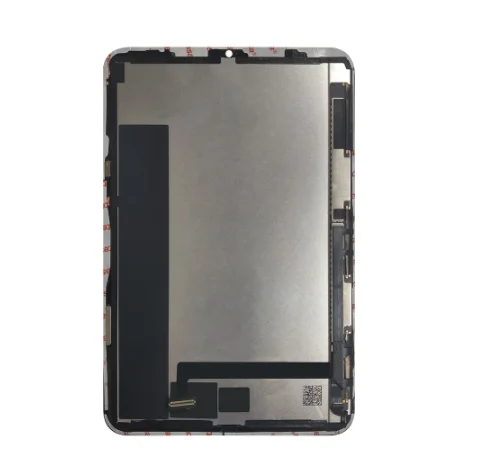
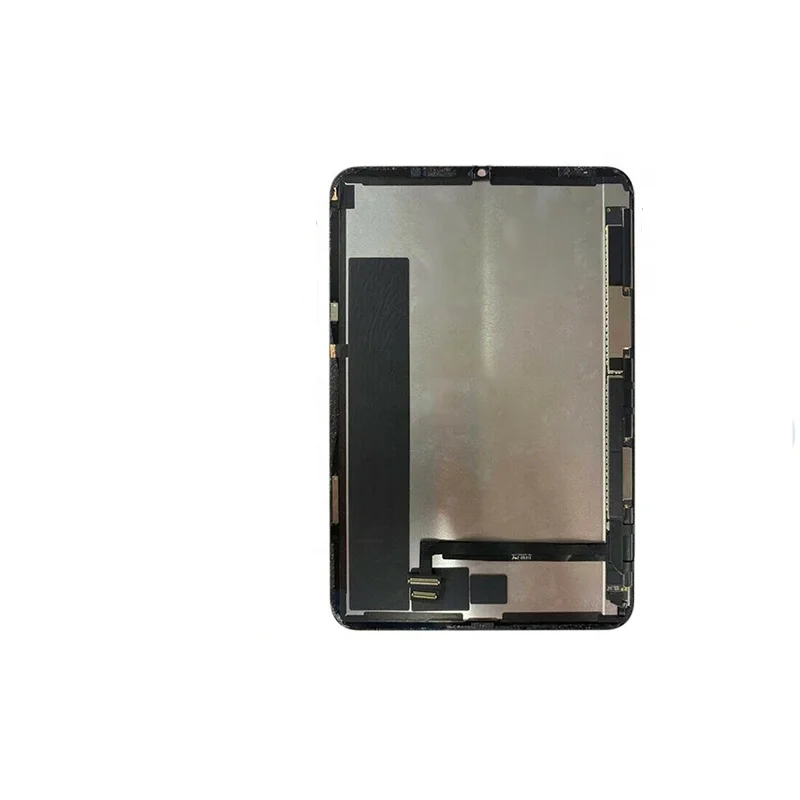
An iPad Mini 6 replacement screen refers to a complete display module designed to replace the original 8.3-inch Liquid Retina IPS panel on the 2021 iPad Mini (model A2567/A2568). Unlike older tablets, the iPad Mini 6 uses a fully laminated display: the LCD, touch sensor (digitizer), and front glass are fused into a single unit. This eliminates air gaps but also means replacing just the glass or just the digitizer is technically unfeasible for most repair shops — and nearly impossible for DIYers without industrial-grade equipment.
Typical use cases include:
- A cracked front surface after a drop — even if touch and display still function;
- Visible discoloration, dead pixels, or backlight bleeding that degrades readability;
- Touch latency or unresponsiveness caused by digitizer failure;
- Upgrading from a lower-tier aftermarket screen installed previously.
Why iPad Mini 6 Screen Replacement Is Gaining Popularity
Lately, demand for iPad Mini 6 replacement screens has strengthened — not because the device is failing more often, but because its lifecycle is proving unusually durable. Market sentiment remains positive through 2026: major upgrades like OLED displays aren’t expected until late 2026 or 20274. As a result, owners are investing in repairs rather than replacements. Over the past year, B2B wholesale pricing has stabilized, and high-end aftermarket units now consistently support features once exclusive to Apple-authorized parts — including Apple Pencil hover detection and sub-45ms touch latency5.
User motivation falls into two clear categories:
- Economic pragmatism: With Apple’s out-of-warranty screen service priced at $299–$349 (depending on region), a $129 professional repair or $109 retail assembly represents meaningful savings — especially when factoring in shipping, downtime, and diagnostic fees.
- Controlled longevity: Users who rely on the Mini 6 for fieldwork, education, or creative workflows prefer extending device life rather than migrating apps, settings, and accessories to a new model.
Approaches and Differences
Three main approaches exist — each with distinct trade-offs in cost, reliability, and technical barrier:
| Approach | Key Advantages | Potential Problems | Budget Range (USD) |
|---|---|---|---|
| Apple Authorized Service | Guaranteed compatibility; retains full warranty coverage on remaining components; includes diagnostics and battery check. | No part-level transparency; no option to retain original serial-matched logic board; turnaround time often 3–7 business days. | $299–$349+ |
| Third-Party Repair Shop (Professional) | Faster turnaround (often same-day or 48h); technician verifies adhesive integrity, backlight uniformity, and True Tone calibration; many offer 6–12 month warranties. | Quality varies widely — verify whether they source assemblies from ISO-certified suppliers6; some shops mislabel “OEM-grade” as “original.” | $170–$240 |
| DIY with Retail Assembly | Lowest total cost; full control over component origin and timing; access to detailed iFixit teardown guides7. | Requires precision tools (suction cup, spudger, heat gun), steady hands, and ~90 minutes of focused time; risk of damaging digitizer cable or home button flex if rushed. | $100–$160 (assembly) + $25–$40 (tool kit) |
If you’re a typical user, you don’t need to overthink this — unless you’ve never opened an iPad before. Start with a reputable third-party shop offering documented supplier traceability.
Key Features and Specifications to Evaluate
Not all iPad Mini 6 replacement screens deliver equal results. Here’s what to verify — and why each metric matters:
- Resolution & PPI: Must be 2266 × 1488 @ 326 ppi. Lower resolution or mismatched scaling causes visible pixelation and app layout distortion. When it’s worth caring about: If you annotate PDFs or view high-res images. When you don’t need to overthink it: If you mainly stream video at 720p.
- True Tone Support: Requires compatible ambient light sensor integration. Many budget assemblies omit this or implement it inconsistently. When it’s worth caring about: For extended reading sessions under mixed lighting. When you don’t need to overthink it: If you use Night Shift or manually adjust white balance.
- P3 Wide Color Gamut: Confirmed via spectral analysis (not marketing copy). Critical for designers, photographers, or anyone comparing color accuracy across devices. When it’s worth caring about: If you edit photos or match brand colors. When you don’t need to overthink it: If you watch Netflix and reply to emails.
- Peak Brightness (500 nits): Measured under controlled conditions. Aftermarket units typically range 420–480 nits — acceptable for indoor use but less ideal for direct sunlight. When it’s worth caring about: If you use the device outdoors regularly. When you don’t need to overthink it: If your usage is desk- or lap-bound.
Pros and Cons
Who benefits most?
- Educators using Apple Pencil for lesson planning;
- Freelance illustrators or architects sketching on-site;
- Students relying on the Mini 6 for textbooks, annotations, and exams;
- Professionals managing inventory or inspections in warehouses or clinics.
- Users whose iPad Mini 6 has other failing components (e.g., swollen battery, weak Wi-Fi signal) — repair economics shift quickly when multiple parts need replacement;
- Those unwilling to calibrate True Tone post-install or accept minor backlight clouding at extreme viewing angles;
- Anyone expecting identical factory-level adhesive bond strength — aftermarket adhesives perform well but rarely match Apple’s proprietary thermal-curing process.
How to Choose an iPad Mini 6 Replacement Screen
Follow this step-by-step decision checklist — with red flags clearly marked:
- Confirm your model number: iPad Mini 6 is A2567 (Wi-Fi) or A2568 (Wi-Fi + Cellular). Do not order for A2133 (Mini 5) or A2300 (Mini 7).
- Avoid “OEM” or “Original” labels without verification: True OEM screens are not sold publicly — Apple restricts them to authorized providers. Look instead for “original quality,” “P3-compatible,” or “True Tone enabled” with supporting test footage.
- Check supplier certifications: Prioritize vendors disclosing ISO 9001 or BSCI audit reports — these indicate consistent QC processes, not just marketing claims6.
- Verify included accessories: A legitimate kit includes pre-cut adhesive frame, plastic opening tools, and sometimes a small tube of B7000 glue for edge sealing. Missing these signals a bare-bones product.
- Read recent reviews mentioning “hover detection” or “True Tone sync” — not just “works fine.” Generic praise is low-signal; specific functionality validation is high-signal.
If you’re a typical user, you don’t need to overthink this — but you do need to verify model number and adhesive inclusion. Everything else follows.
Insights & Cost Analysis
Here’s how costs break down across realistic scenarios:
- Apple Store / AASP: $299–$349 (U.S.), includes labor, diagnostics, and 90-day service warranty. No price negotiation. 3
- Reputable Third-Party Shop: $170–$240. Includes labor, calibrated backlight testing, and 6-month parts warranty. Varies by city and technician experience.
- DIY Retail Assembly: $100–$160 (Alibaba/Amazon/eBay), plus $25–$40 for essential tools. Total: $125–$200. Time investment: 75–120 minutes. 1
- Bulk Wholesale (B2B): $29.95/unit at 100+ quantity — irrelevant for individuals, but confirms supply chain maturity and component cost floor.
The biggest value inflection point is service speed vs. cost control. If you need the device functional within 48 hours, pay the $199–$229 shop rate. If you can wait and value predictability, DIY saves $70–$120 — but only if you follow iFixit’s A2567-specific guide precisely7.
Better Solutions & Competitor Analysis
While “better” is context-dependent, one emerging improvement stands out: pre-adhered assemblies with pressure-sensitive film. These eliminate liquid adhesive application — reducing bubble risk and curing time. They’re now standard in mid-to-high-tier kits (e.g., brands listed on Alibaba with ≥4.8 rating and ≥1,000 orders8).
| Component Type | Best For | Potential Issue | Budget Range |
|---|---|---|---|
| Pre-adhered Full Assembly | DYI users prioritizing success rate over absolute lowest cost | Slightly higher base price ($139–$159); limited color variants (only space gray/black) | $139–$159 |
| Frame-Mounted Assembly (with metal bracket) | Repair shops doing volume work; ensures perfect bezel alignment | Heavier; requires removal of original bracket — not beginner-friendly | $145–$165 |
| Standard LCD + Digitizer + Glass (loose) | Technicians with vacuum laminator access | Unusable for DIY; requires $2,500+ equipment | $85–$115 |
Customer Feedback Synthesis
Based on aggregated reviews (Reddit, iFixit forums, Amazon, and Back Market user comments), top recurring themes:
- ✅ Frequent Praise: “Color accuracy matched my old screen exactly,” “Pencil hover works instantly — no lag,” “True Tone synced after first reboot.”
- ❌ Common Complaints: “Slight backlight bleed in bottom corners,” “Adhesive didn’t hold on upper left corner — needed supplemental B7000,” “No instructions included — had to find iFixit video separately.”
Notably, complaints dropped significantly in Q1 2025 — correlating with wider adoption of pre-adhered assemblies and improved QC from top-tier suppliers in Shenzhen and Dongguan58.
Maintenance, Safety & Legal Considerations
No regulatory restrictions apply to screen replacement itself — unlike battery swaps or logic board modifications. However, consider these practical constraints:
- Warranty impact: Apple voids hardware warranty only for damage directly caused by unauthorized service — not for the mere act of replacement. If your iPad Mini 6 is still under AppleCare+, screen repair remains covered regardless of method.
- Safety: Use a heat gun (not hair dryer) set to ≤70°C to soften adhesive. Never insert metal tools deeper than 2mm — the digitizer cable lies just beneath the top bezel.
- Data safety: Screen replacement does not affect storage or encryption. No backup is required — though prudent users always maintain iCloud or local backups.
Conclusion
If you need certainty, speed, and warranty continuity, choose Apple Authorized Service — but only if your device is otherwise healthy and you’re willing to pay premium pricing. If you need high fidelity, strong value, and moderate control, a third-party shop using verified high-tier assemblies ($199–$229) delivers the best balance. If you need maximum cost efficiency and have 90 minutes to spare, a pre-adhered retail assembly ($139–$159) with iFixit guidance is viable — provided you double-check model numbers and practice cable handling.
If you’re a typical user, you don’t need to overthink this. Prioritize verified compatibility, pre-applied adhesive, and recent user validation over brand names or vague “OEM” claims.


