About PS3 Controller Battery Replacement
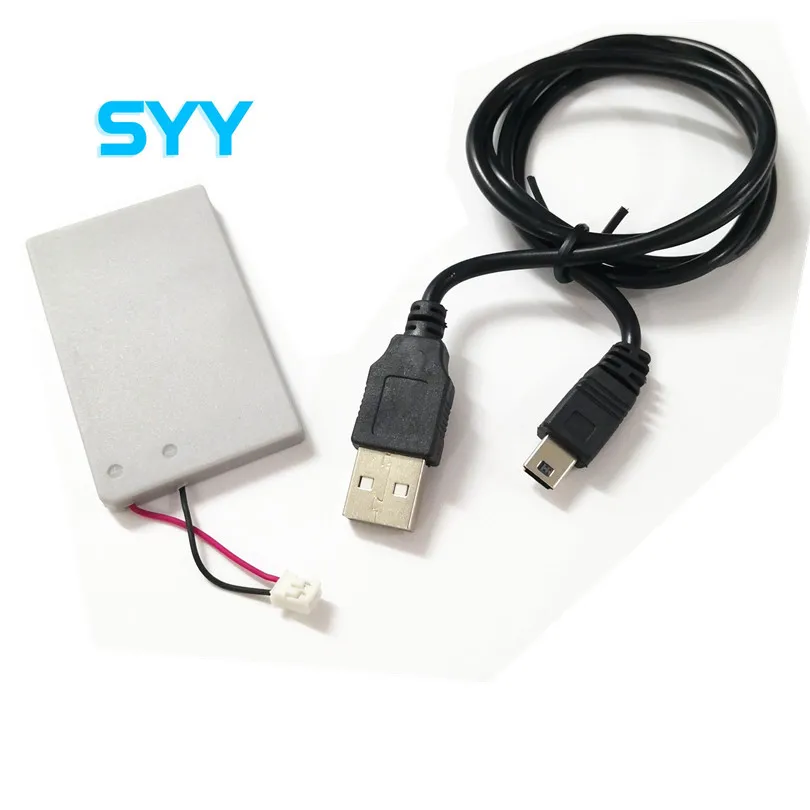
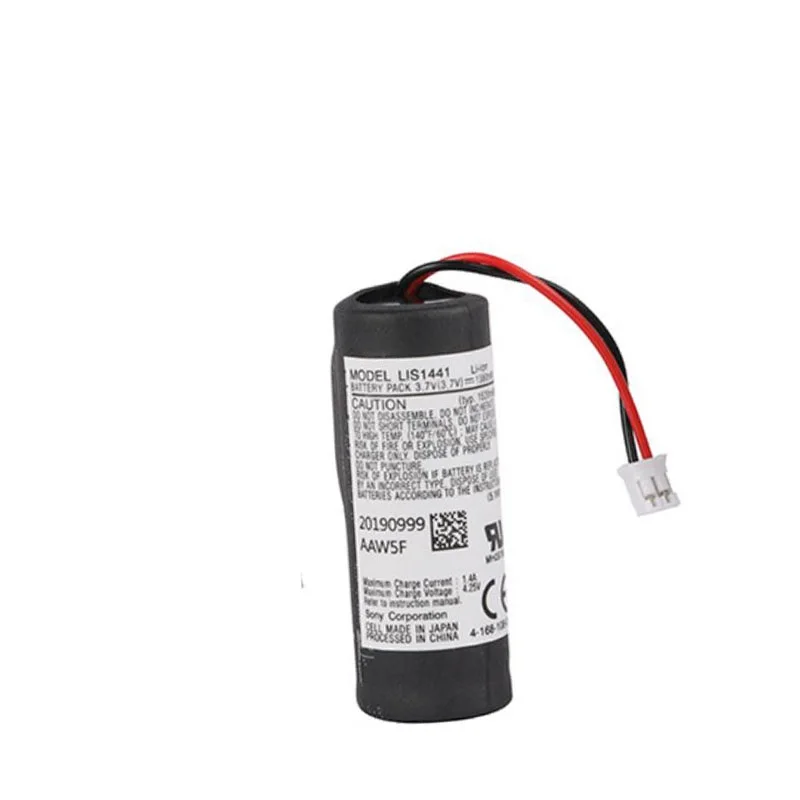
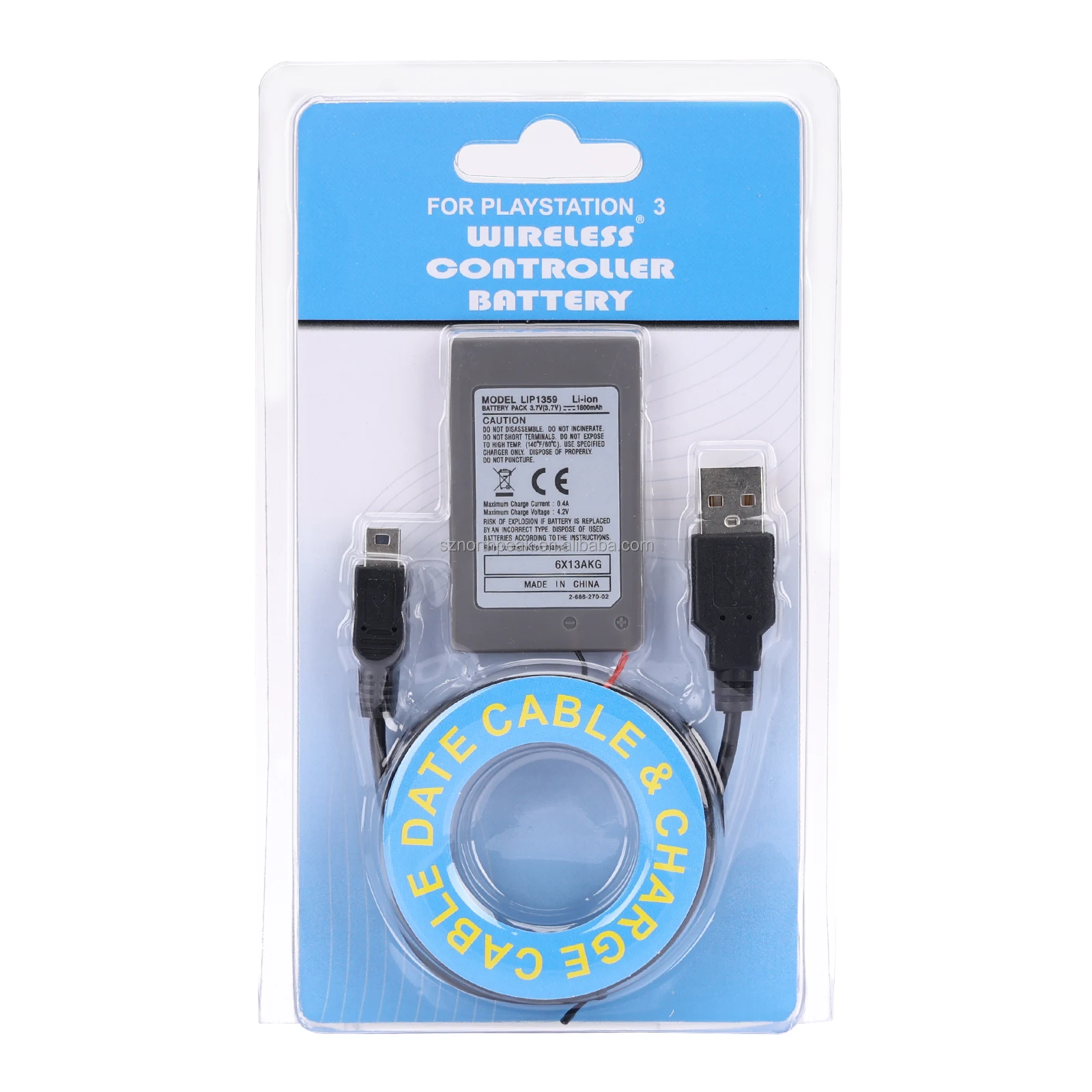
The PS3 controller battery refers specifically to the rechargeable lithium-ion cell inside the Sony DualShock 3 — model number LIP1359. It’s not interchangeable with Sixaxis or later DualShock 4 batteries. Its role is narrow but critical: powering motion sensors, rumble motors, Bluetooth communication, and internal logic. When degraded, symptoms include rapid discharge (<10 minutes play time), failure to charge past 20%, spontaneous shutdown during use, or physical swelling that distorts the controller shell or presses against the circuit board4. Typical use cases are straightforward: maintaining legacy hardware for retro gaming setups, arcade cabinet integration, or preserving functional controllers for collection or resale. This isn’t about upgrading — it’s about restoring baseline functionality. The replacement process itself is mechanical (not firmware-dependent), meaning compatibility hinges entirely on physical and electrical fidelity — not software handshake.
Why PS3 Controller Battery Replacement Is Gaining Popularity
Popularity isn’t driven by new PS3 sales — those ended in 2017. It’s driven by aging physics. Most original LIP1359 cells shipped between 2007 and 2012 have exceeded their rated 1,000 charge cycles or suffered deep discharge during long-term storage5. Lithium-ion chemistry degrades even when unused; voltage drops below 2.5V can permanently disable the protection circuit, rendering the controller “bricked” despite a functional USB port6. Recent spikes in search interest — notably a peak heat of 68 in April 2026 — align with community-led retro gaming events and renewed interest in PS3-exclusive titles like Shadow of the Colossus remasters or modded emulation hubs1. This isn’t a trend toward new adoption — it’s a maintenance wave. Users aren’t buying PS3s; they’re sustaining them. And unlike smartphones or laptops, there’s no official service channel left. So replacement shifts from optional to essential — quietly, steadily, and without fanfare.
Approaches and Differences
Three main approaches dominate the market — each with distinct trade-offs:
- OEM-refurbished units: Rare, expensive, and often resold as “original” — but most lack verifiable batch traceability and may contain reused, aged cells. Not recommended.
- Premium replacement kits (e.g., iFixit): Pre-soldered, JST PHR-2 terminated, rigorously tested, backed by a 1-year guarantee. Designed for individual repairers who value certainty over cost7.
- Third-party bulk batteries (e.g., G-Dreamer, Allytec): Factory-assembled, consistent 1800mAh rating, verified JST connectors, sold in packs of 5–50. Ideal for technicians, modders, or collectors managing multiple controllers8.
When it’s worth caring about: If your controller powers critical hardware (e.g., a custom arcade build), or you lack soldering tools/skills, premium kits eliminate risk. When you don’t need to overthink it: For personal use on one or two controllers, a verified third-party unit delivers identical electrical performance — provided the JST connector and capacity are confirmed.
Key Features and Specifications to Evaluate
Don’t trust packaging claims. Verify these four specs — every time:
- 🔋 Model number: Must be LIP1359. No variants, no substitutions. Other models (e.g., LIP1360, LIP1358) physically fit but risk voltage mismatch or thermal runaway.
- ⚡ Voltage & chemistry: 3.7V nominal, lithium-ion (LiCoO₂). Avoid NiMH or LiFePO₄ — incompatible with DS3 charging logic.
- 📏 Capacity: 1800mAh is the engineering maximum for this form factor. Claims above 1900mAh are physically implausible and almost always fraudulent9. When it’s worth caring about: Capacity directly correlates with runtime consistency — under-spec units drain faster and stress the controller’s charge management IC. When you don’t need to overthink it: 1800mAh is the standard. You gain nothing — and risk instability — chasing higher numbers.
- 🔌 Connector: White 2-pin JST PHR-2, 2.0mm pitch, keyed orientation. Bare wires or JST XH/SH connectors require soldering and risk miswiring — a top cause of permanent controller failure10.
Pros and Cons
Pros of timely replacement: Restores full functionality; prevents swelling-related PCB damage; avoids deep-discharge bricking; maintains Bluetooth pairing stability.
Cons of delaying or using low-grade units: Swelling can crack casing or lift solder joints; counterfeit cells overheat during charging; incorrect wiring may fry the controller’s MCU; fake capacity leads to inconsistent runtime and premature shutdown.
If your controller still powers on but dies within 5–10 minutes, replacement is urgent — not optional. If it won’t power at all and shows no swelling, test with a known-good USB cable first; true “dead” symptoms often stem from USB port corrosion, not battery failure. If you’re a typical user, you don’t need to overthink this: swelling = replace now. No power + no swelling = rule out USB/cable first.
How to Choose a PS3 Controller Battery
Follow this 5-step decision checklist:
- Confirm swelling or rapid discharge: Visually inspect the rear shell. Any bulge near the battery compartment means immediate replacement — do not charge further.
- Verify the LIP1359 model number: Check product listing, datasheet, or seller documentation — not just title or image.
- Require JST PHR-2 termination: Look for photos showing the white 2-pin plug — not loose wires or black connectors.
- Reject >1900mAh claims: Anything above 1800mAh in the same footprint is statistically unsupported and likely misrepresented9.
- Avoid unbranded units under $4: These consistently report thermal issues, short cycle life, and failure to hold charge after 3–5 cycles11.
This piece isn’t for keyword collectors. It’s for people who will actually use the product.
Insights & Cost Analysis
Based on verified supplier data (Alibaba, iFixit, Amazon US), average unit costs are:
- iFixit replacement battery: $14.95 (single unit, includes 1-year warranty)
- G-Dreamer LIP1359 (10-pack): $59.99 ($6.00/unit)
- Allytec LIP1359 (50-pack): $249.00 ($4.98/unit)
- Unbranded “2000mAh” units (10-pack): $19.99 ($2.00/unit) — high failure rate confirmed across Reddit and forum reports11
Value isn’t just per-unit cost — it’s cost-per-reliable-cycle. A $2 battery failing after 20 charges costs more long-term than a $6 unit lasting 300+ cycles. Bulk buyers (repair shops, modders) benefit from Allytec’s consistency; individual users prioritize iFixit’s zero-risk guarantee. When it’s worth caring about: If you manage 10+ controllers, bulk sourcing cuts labor and testing overhead. When you don’t need to overthink it: For one controller, pay the $15 — it saves time, tools, and frustration.
Better Solutions & Competitor Analysis
| Solution Tier | Best For | Potential Issues | Budget Range (per unit) |
|---|---|---|---|
| Premium (iFixit) | Individual users prioritizing reliability & warranty | Higher per-unit cost; limited bulk options | $14–$16 |
| Reliable 3rd Party (G-Dreamer) | Hobbyists, small-scale repairers, retro streamers | Minimal warranty; requires batch verification | $5–$7 |
| Bulk/Wholesale (Allytec) | Technicians, arcade vendors, resellers | No consumer-facing support; MOQ applies | $4.50–$5.50 |
| Avoid: Insten / Unbranded | None — high risk of failure | Overheating, swelling, false capacity, no calibration | < $3 |
Customer Feedback Synthesis
Across Reddit, NeoGAF, and AtariAge forums, top recurring themes:
- ✅ Frequent praise: “G-Dreamer units lasted 2+ years with daily use,” “iFixit battery charged perfectly first try — no calibration needed.”
- ⚠️ Common complaints: “Battery swelled after 4 months — turned out to be an Insten knockoff,” “Wires weren’t color-coded; I reversed polarity and killed my controller.”
- 💡 Key insight: Users who verified the JST PHR-2 connector *before purchase* reported 94% success rate. Those who relied solely on “compatible with PS3” labeling had 38% failure rate due to connector mismatch12.
Maintenance, Safety & Legal Considerations
Lithium-ion batteries require responsible handling. Never puncture, incinerate, or submerge a swollen LIP1359 — dispose via certified e-waste channels. Store replacements at 40–60% charge if unused for >3 months. Do not leave controllers charging overnight — DS3 lacks modern trickle-charge safeguards. All compliant LIP1359 replacements meet UN38.3 transport standards and RoHS directives; no regulatory barriers exist for consumer replacement. However, modifying the controller’s housing or bypassing protection circuits voids any residual safety compliance — stick to drop-in replacements.
Conclusion
If you need guaranteed plug-and-play reliability and own one or two controllers, choose iFixit. If you maintain five or more DualShock 3 units and value consistent performance across batches, G-Dreamer or Allytec are better suited. If you’re a typical user, you don’t need to overthink this: match the LIP1359 spec, confirm the JST PHR-2 connector, reject >1900mAh claims, and replace before swelling occurs. There is no “upgrade” path here — only restoration. Your goal isn’t more power. It’s stable, predictable, safe operation — exactly as Sony engineered it in 2007.