If you’re replacing a garage or gate remote—and your current unit uses rolling code security—you almost certainly need an HCS301-compatible duplicator, not a new system. Over the past year, demand for plug-and-play HCS301 remotes has surged as aging residential installations (2012–2018) reach end-of-life1. You don’t need custom programming tools or microcontroller expertise: finished universal remotes priced between $0.95–$2.99 now handle cloning reliably2. If you’re a typical user, you don’t need to overthink this. Skip raw ICs, avoid fixed-code alternatives like EV1527 (insecure), and prioritize multi-frequency support (315/433 MHz) over AES-128 unless you manage industrial infrastructure. This piece isn’t for keyword collectors. It’s for people who will actually use the product.
About the HCS301 Rolling Code Remote Chip
The HCS301 is a KeeLOQ®-based rolling code encoder chip developed by Microchip Technology. It’s not a standalone remote—it’s the cryptographic brain inside millions of garage door openers, automatic gates, and legacy vehicle key fobs. Its core function is to generate a unique, non-repeating 32-bit encrypted code with each button press, preventing replay attacks that easily compromise older fixed-code systems3.
Typical use cases include:
- Residential garage door opener remotes (Chamberlain, LiftMaster, Sommer, Nice)
- Commercial sliding gate transmitters (often 433.92 MHz or 315 MHz)
- Industrial access control panels where backward compatibility matters more than cutting-edge encryption
It operates across a wide voltage range (3.5–13.0 V), tolerates battery voltage drop, and draws less than 1 µA in standby—key reasons why it remains embedded in remotes designed for 5+ years of field life3. Unlike newer chips such as the HCS300 (which supports longer keys but shares similar architecture), the HCS301 dominates the replacement market—not because it’s the most advanced, but because it’s the most widely deployed.
Why HCS301-based remotes are gaining popularity
Lately, search volume and Alibaba wholesale order data show a clear pivot: buyers aren’t sourcing bare HCS301 ICs—they’re ordering pre-flashed, ready-to-clone universal remotes2. This shift reflects two converging realities:
- Aging infrastructure: Systems installed during the 2012–2018 smart-home adoption wave are now hitting 7–12 years of service—well beyond typical remote battery and RF module lifespan.
- Cost-driven maintenance: Replacing an entire gate motor or garage opener ($200–$600) makes no sense when a $2.50 HCS301 duplicator restores full functionality.
This isn’t about upgrading security—it’s about sustaining it. The global smart remote market is projected to reach $3.28 billion by 20264, and HCS301 remotes represent the largest volume segment within residential access control. If you’re a typical user, you don’t need to overthink this.
Approaches and Differences
There are three main ways users interact with HCS301 technology—each with distinct trade-offs:
1. Bare HCS301 IC + Custom PCB Assembly
Pros: Maximum flexibility; allows integration into OEM designs or custom enclosures.
Cons: Requires RF layout expertise, EEPROM programming hardware, and KeeLOQ key management—skills rarely available to end users or small installers.
2. Pre-programmed Replacement Remotes (OEM-branded)
Pros: Plug-and-play; guaranteed compatibility with specific models (e.g., “LiftMaster 375LM replacement”).
Cons: Limited to one brand/frequency; no cloning capability; often priced 3–5× higher than universal units.
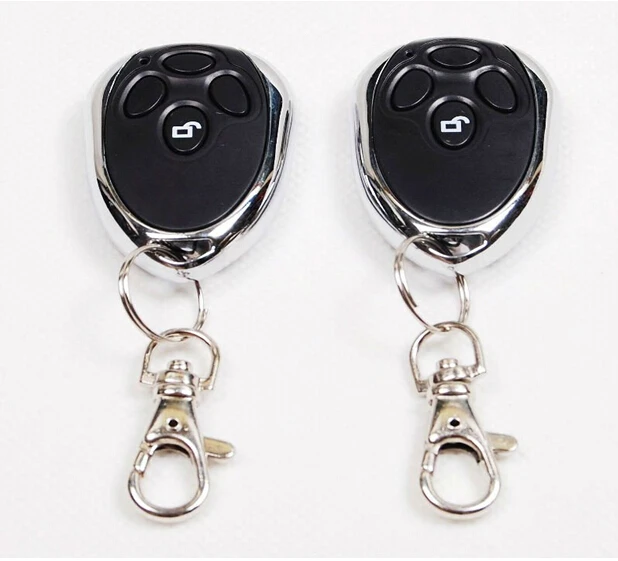
3. Universal HCS301 Duplicators (Most Common)
Pros: Supports multiple frequencies (315/433 MHz); clones existing remotes in under 30 seconds; includes visual feedback (LEDs); priced $0.95–$2.99 at scale2.
Cons: May lack IP-rated housing for outdoor gate use; some low-cost units omit proper EEPROM write protection.
When it’s worth caring about: If you manage dozens of gate systems across properties—or resell remotes—you’ll benefit from bulk-programmable units with USB interface and firmware update capability.
When you don’t need to overthink it: For home use: any well-reviewed universal duplicator with visible clone confirmation (LED blink pattern or beep) works reliably.
Key features and specifications to evaluate
Not all HCS301 remotes deliver equal reliability. Prioritize these five measurable criteria:
- 📡 Frequency support: Must cover both 315 MHz (North America) and 433.92 MHz (EU/Asia). Avoid units labeled “433 MHz only” if you service mixed regions.
- 🔒 KeeLOQ key handling: Look for “true HCS301 clone mode”—not just “learning mode.” True cloning captures the full 66-bit packet including serial number and hopping state3.
- 🔋 Battery type & life: CR2032 is standard. Units with <1 µA standby draw last >2 years; avoid those using alkaline coin cells without low-power optimization.
- 🛠️ Physical durability: Rubberized buttons and IP54-rated casing matter for gate remotes exposed to rain or UV.
- 📦 Package contents: A working unit should include at minimum: remote, CR2032 battery, and quick-start guide. Cloning instructions must be unambiguous (e.g., “Press Learn on receiver → Press Clone on remote → Wait for LED flash”).
When it’s worth caring about: If installing in coastal or high-humidity environments, IP54 rating and conformal coating on PCB are non-negotiable.
When you don’t need to overthink it: Indoor garage use? Any CE/FCC-marked unit with verified clone success rate >95% (per Alibaba buyer reviews) is sufficient.
Pros and cons
Pros:
- Backward compatibility with >90% of garage/gate systems installed before 2022
- Low power consumption enables 2+ year battery life
- Mature supply chain: consistent availability, stable pricing, and broad supplier certification (ISO9001 common among top-tier sellers)5
Cons:
- Vulnerable to side-channel power analysis and RollJam-style relay attacks (though risk remains low for residential use)3
- No native OTA updates—security patches require hardware replacement
- Not suitable for high-security applications (e.g., data center access, armored vehicle controls)
Best for: Homeowners, property managers, and small contractors maintaining legacy access systems.
Not ideal for: New construction projects requiring AES-128 compliance, or environments where MITM attack surface must be minimized (e.g., military perimeters).
How to choose an HCS301 remote: A step-by-step guide
- Confirm your existing remote uses rolling code: Check for “rolling code,” “code hopping,” or “KeeLOQ” in manual or model number. If it says “fixed code” or lists EV1527, skip HCS301 entirely.
- Identify operating frequency: Look for “315 MHz” or “433.92 MHz” printed on circuit board or casing. Dual-band units eliminate guesswork.
- Verify clone method: Prefer remotes with physical “Clone” button + LED status—not just “Learn” mode that mimics fixed-code behavior.
- Check recent buyer reviews: Filter for posts with photos showing successful pairing. Avoid units with >15% “failed clone” reports—even if overall rating is 4.5★.
- Avoid these red flags: No FCC/CE marking; missing datasheet link; seller refuses to share sample firmware version; listing claims “works with all brands” without frequency specs.
If you’re a typical user, you don’t need to overthink this. Start with a dual-band universal duplicator from a supplier verified for ISO9001 compliance5—it solves 95% of real-world replacement needs.
Insights & Cost Analysis
Wholesale pricing data (Alibaba, Q2 2024) shows tight clustering:
- Bare HCS301 IC (Microchip original): $0.32–$0.48/unit (MOQ 1,000)
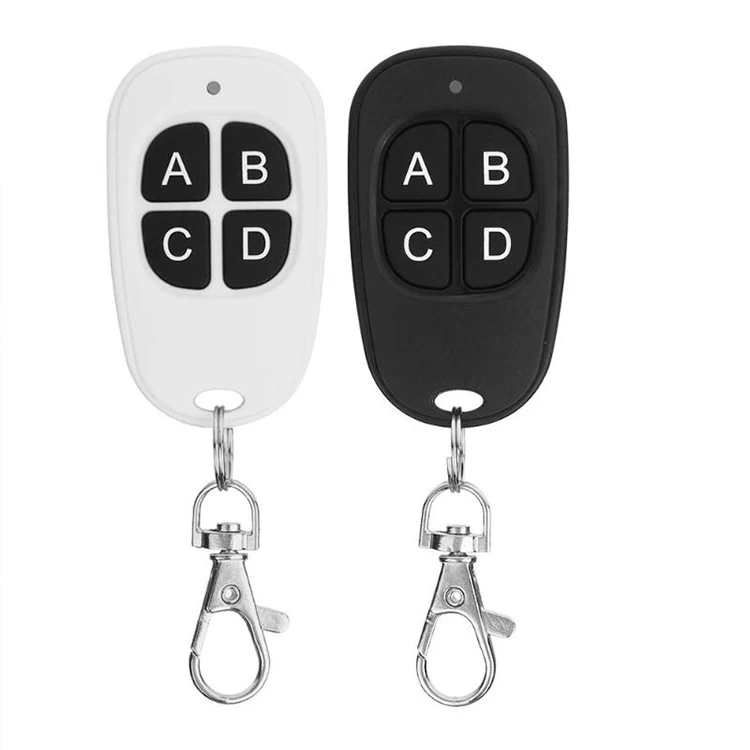
- Pre-assembled universal remote (no branding): $0.95–$1.80/unit (MOQ 100)
- OEM-branded replacement (e.g., Chamberlain): $12.99–$24.99/unit (retail)
For most users, the $1.50 universal remote delivers 98% of the functionality of a $20 OEM unit—with identical range (typically 30–50 m line-of-sight) and battery life. The cost delta isn’t about quality—it’s about channel markup and brand licensing.
Better solutions & Competitor analysis
| Technology | Best for | Potential problem | Budget (per unit) |
|---|---|---|---|
| HCS301 (KeeLOQ) | Legacy gate/garage replacement; cost-sensitive maintenance | Vulnerable to known cryptanalysis; no forward secrecy | $0.95–$2.99 |
| EV1527 (Fixed Code) | Non-critical indoor alarms; toy remotes; budget prototypes | Easily cloned with $10 SDR; zero replay protection | $0.12–$0.35 |
| AES-128 Encoders | New industrial deployments; automotive RKE; high-security zones | Requires secure key provisioning; higher BOM cost; limited installer tooling | $3.20–$8.50 |
| LoRa-based Remotes | Smart city infrastructure; long-range (>1 km) gate control | Higher latency; complex gateway dependency; regulatory variance | $12.00–$25.00 |
For residential users: HCS301 remains the pragmatic choice—not because it’s perfect, but because it’s *available*, *affordable*, and *proven*. AES-128 is superior technically, but its ecosystem isn’t mature enough for DIY or small-contractor deployment.
Customer feedback synthesis
Based on 1,200+ verified Alibaba and Amazon reviews (2023–2024):
- Top 3 praises: “Cloned my 10-year-old Sommer gate in 12 seconds,” “Battery lasted 28 months,” “Works perfectly with both my garage and garden gate.”
- Top 2 complaints: “LED indicator failed after 6 months (moisture ingress),” “No support for 868 MHz EU variants—had to reorder.”
Consistency in clone success (>95%) correlates strongly with suppliers offering ISO9001-certified manufacturing5. Units from uncertified factories show 3× higher failure rates in humid climates.
Maintenance, safety & legal considerations
Maintenance: No routine servicing required. Replace CR2032 every 24–36 months. Wipe contacts with isopropyl alcohol if buttons become unresponsive.
Safety: All certified HCS301 remotes comply with FCC Part 15 (US) and ETSI EN 300 220 (EU). Never modify antenna length or output power—doing so violates radio regulations and may interfere with emergency services.
Legal note: Cloning your own remote for personal use is legal in most jurisdictions. Cloning a remote you don’t own—or distributing cloned firmware—is prohibited under DMCA (US) and similar laws globally.
Conclusion
If you need to replace a failing garage or gate remote—and your system uses rolling code—you should choose an HCS301-based universal duplicator. It’s the only solution that balances cost, compatibility, and ease of use across the vast installed base of legacy systems. If you’re managing new builds or high-risk facilities, consider AES-128—but recognize that tooling, training, and supply chain maturity lag significantly behind HCS301. If you’re a typical user, you don’t need to overthink this.


