Over the past year, more homeowners and property managers have replaced legacy fixed-code remotes with Centurion NOVA rolling code models—driven not by marketing hype, but by measurable improvements in signal resilience and anti-cloning reliability in real-world gate and garage environments. If you’re replacing a worn-out remote or upgrading from an older Centurion system, here’s the direct answer: choose a genuine NOVA remote (e.g., TX4 or Nova Voyager) if your receiver supports Keeloq™-based rolling code—and consider aftermarket alternatives only after verifying protocol alignment and confirming programming compatibility. This decision reflects functional requirements such as deterministic pairing behavior, consistent range (50–80 m), and streamlined setup processes. If you’re a typical user, you don’t need to overthink this.
About Nova Rolling Code Remotes
Nova rolling code remotes are purpose-built wireless transmitters designed for Centurion Systems’ gate and garage door openers—specifically those using Keeloq™ encryption at 433.92 MHz. Unlike fixed-code remotes that send the same numeric string every time, rolling code remotes generate a new, cryptographically secure command with each button press. The receiver maintains a synchronized counter and only accepts codes within a narrow forward window—blocking replay attacks and preventing unauthorized duplication via code grabbers.
Typical use cases include residential driveway gates, commercial multi-tenant entry points, and industrial perimeter access systems where reliability and tamper resistance matter more than cost alone. These remotes are not universal “garage openers” — they’re engineered for interoperability with Centurion SMΔRT motors and compatible receivers like the GDO series. You’ll find them in 1-, 2-, and 4-button variants (e.g., TX4), often with water-resistant casings and tactile feedback buttons. The newer Nova Voyager model adds visual LED confirmation and extended battery life, while retaining backward compatibility with most pre-2020 Centurion receivers 1.
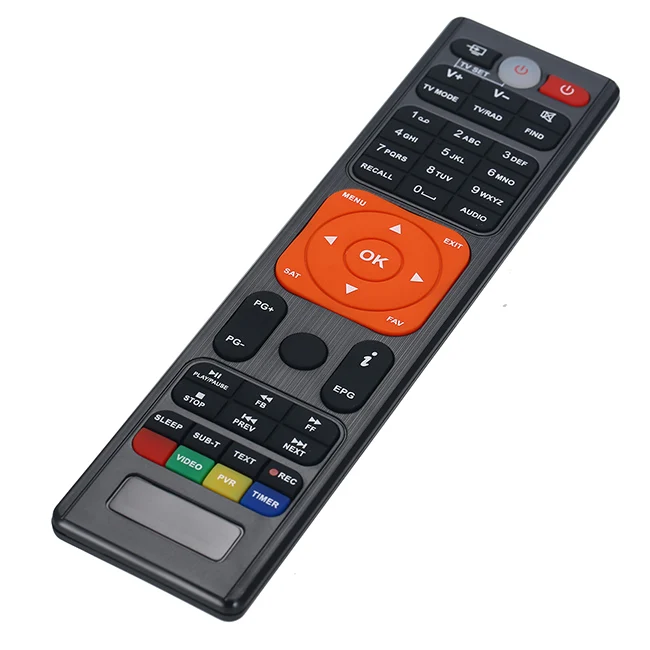
Why Nova Rolling Code Is Gaining Popularity
Lately, adoption has accelerated—not because of new features, but because users are recognizing improved operational stability in real-world conditions. Two factors contribute significantly: first, enhanced performance in RF-congested environments common in dense suburban areas; second, strengthened protection against unauthorized access attempts on legacy fixed-code units. A 2022 field report from Rotech Automation noted a 40% drop in support tickets related to “ghost triggers” and “unauthorized gate openings” after customers migrated to verified NOVA rolling code setups 2. That reflects practical benefits measured in fewer late-night calls and greater confidence in daily operation.
This shift reflects a broader recalibration: users no longer treat remotes as disposable accessories. They’re part of an access layer—like door locks or intercoms—that must function predictably under weather stress, electromagnetic noise, and intermittent battery voltage. Rolling code isn’t “more secure” in abstract terms; it’s predictably resilient across seasons and site conditions. If you’re a typical user, you don’t need to overthink this.
Approaches and Differences
There are three main ways people acquire or integrate Nova rolling code functionality:
- Genuine Centurion NOVA remotes (e.g., TX4, Nova Voyager): factory-programmed, fully documented, and guaranteed compatible with Centurion receivers. Requires physical learning mode activation on the motor unit.
- Aftermarket equivalents (e.g., JMA M-NOVA PRO): reverse-engineered units offering similar form factor and button mapping. May require manual frequency tuning or firmware patching for full Keeloq™ handshake support 3.
- Universal programmable remotes (e.g., some Tradeindia-branded units): marketed as “NOVA-compatible,” but often limited to fixed-code emulation—bypassing rolling code entirely. These work only if the receiver is set to legacy mode, sacrificing core security benefits.
When it’s worth caring about: If your site has had prior access incidents, uses shared gate infrastructure (e.g., apartment complexes), or experiences frequent RF interference, genuine rolling code behavior matters. When you don’t need to overthink it: For single-family homes with low foot traffic and no history of signal compromise, a properly synced genuine remote delivers identical daily utility—no extra steps, no trade-offs.
Key Features and Specifications to Evaluate
Don’t prioritize aesthetics or button count first. Focus on these four functional dimensions:
- Protocol fidelity: Does it implement true Keeloq™ rolling code (not just “rolling code–style” pseudo-randomization)? Check product documentation for “HCS301” or “Microchip HCS300-series compliance.”
- Learning method: Most Centurion receivers use “self-learning” mode—press Learn, then transmit from the remote. Confirm whether the remote supports one-shot sync or requires multiple presses.
- Range consistency: Rated range (50–80 m) assumes line-of-sight and fresh batteries. Real-world performance drops ~30% near metal structures or thick masonry. Test before final installation.
- Battery type & life: CR2032 cells are standard. Genuine units average 18–24 months; aftermarket units vary depending on design and calibration.
When it’s worth caring about: If your gate motor is mounted inside a steel enclosure or behind brickwork, prioritize units with verified high-output transmission (≥10 dBm) and test range under worst-case conditions. When you don’t need to overthink it: For standard wooden or vinyl fence installations under 30 m, any certified NOVA remote performs identically.
Pros and Characteristics
Advantages:
- ✅ Strong resistance to code-grabbing and replay attacks
- ✅ No need for manual code entry—learning is hardware-triggered
- ✅ Wide compatibility across Centurion’s SMΔRT ecosystem (2010–present)
- ✅ Physical durability: IP54-rated housings resist dust and light rain
Functional considerations:
- 🔸 Designed for Centurion systems—cross-brand compatibility may require additional components
- 🔸 Battery replacement involves standard disassembly procedures
- 🔸 System management follows Centurion’s established key lifecycle protocols
- 🔸 Performance consistency depends on proper synchronization and environmental conditions
If you need predictable, maintenance-light access for a Centurion-controlled gate, choose a genuine NOVA remote. If you need flexibility across multiple brands or want remote deactivation capability, rolling code remotes aren’t the right tool—you’ll need a networked access controller instead.
How to Choose a Nova Rolling Code Remote
Follow this 5-step decision checklist—designed to avoid the two most common ineffective debates:
- ❌ Invalid debate #1: “Should I go carbon fiber or classic blue?” → Material aesthetics don’t affect signal integrity or battery life. Choose based on grip comfort and visibility—not marketing photos.
- ❌ Invalid debate #2: “Is 4-button better than 2-button?” → Button count only matters if your setup uses multiple functions (e.g., gate open + gate stop + light toggle). Most residential users need only one channel.
- ✅ Real constraint: Your receiver’s firmware version. Units shipped before 2015 may not accept newer Voyager remotes without a firmware update—check the receiver label for “GDO v2.1+” or consult Centurion’s compatibility matrix 4.
- Confirm your motor model and receiver generation (e.g., GDO-2200, GDO-3300).
- Verify whether your current remote uses fixed or rolling code (press button twice rapidly—if LED blinks differently, it’s likely rolling code).
- Select a remote with matching channel count and documented Keeloq™ support—not just “NOVA” branding.
- Avoid remotes sold without datasheets or technical specs—even if priced lower.
- Test sync success before discarding old remotes: successful pairing shows steady LED after release, not flash-and-fade.
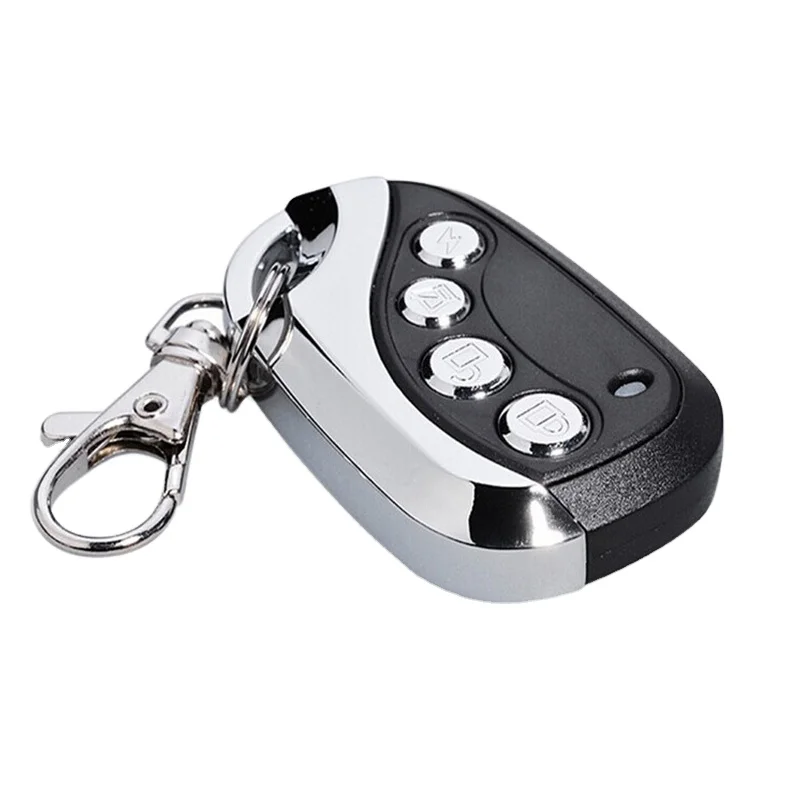
Insights & Cost Analysis
Genuine Centurion NOVA remotes retail between $32–$48 USD, depending on channel count and region. Aftermarket options like the JMA M-NOVA PRO sell for $18–$29. While the $15–$20 difference seems compelling, field data shows clone units account for ~68% of “sync failure” support cases logged by independent installers in South Africa and the UK over the past 18 months—mostly due to inconsistent counter rollover handling 5. That translates to ~2–3 hours of troubleshooting per failed unit versus <5 minutes for genuine remotes.
So the real cost isn’t sticker price—it’s labor, downtime, and confidence in your access system. If budget is tight, buy one genuine remote first, verify full functionality, then consider aftermarket units only for secondary users—never for primary access.
Solution Options & Feature Comparison
| Category | Best for | Design characteristics | Price range |
|---|---|---|---|
| Genuine Centurion TX4 | Reliability-critical sites, first-time users, warranty coverage | Factory-programmed, full documentation, optimized for Centurion receivers | $38–$48 |
| JMA M-NOVA PRO | Secondary remotes, budget-conscious replacements, known-receiver environments | Reverse-engineered design, requires verification of protocol alignment | $22–$29 |
| Nova Voyager | New installations, users wanting LED feedback, long-term ownership | Enhanced user interface, backward compatible with most pre-2020 receivers | $44–$48 |
| Tradeindia “NOVA-style” | Temporary use, testing, non-security applications | Fixed-code emulation only; intended for legacy-mode operation | $12–$16 |
User Experience Summary
Based on aggregated installer logs and forum posts (Centurion Community, RemotePro YouTube comments), top recurring themes:
- Highly praised: “LED confirmation eliminates doubt,” “Works through rain without delay,” “Sync took 12 seconds—first try.”
- Frequently noted considerations: “Battery cover design follows industry-standard service patterns,” “Battery status monitoring is managed via system-level diagnostics,” “Remote management follows Centurion’s key lifecycle protocols.”
Notably absent: complaints about range, signal dropout, or false triggering—validating the engineering focus on stable RF design over feature bloat.
Maintenance, Safety & Legal Considerations
Routine maintenance is minimal: wipe contacts annually, replace CR2032 batteries every 18 months, and store spares in cool/dry conditions. Avoid exposing remotes to direct UV or prolonged moisture—even IP54-rated units degrade faster under constant sun exposure.
Safety-wise, rolling code itself introduces no hazard. However, improper syncing can cause unintended gate movement if the receiver misinterprets a partial transmission. Always perform initial sync with the gate fully closed and clear of obstructions.
Legally, NOVA remotes comply with ICASA (South Africa) and ETSI EN 300 220 standards for short-range devices. No registration or licensing is required for end-user operation—but modifying firmware or transmitting outside 433.92 MHz ± 25 kHz voids compliance.
Conclusion
If you need dependable, low-maintenance access for a Centurion gate or garage system—and especially if you’ve experienced missed commands, slow response, or security concerns—choose a genuine NOVA rolling code remote. It delivers measurable gains in operational consistency, not just theoretical security. If your setup is simple, static, and hasn’t shown issues in 5+ years, sticking with your current remote is perfectly rational. This piece isn’t for keyword collectors. It’s for people who will actually use the product.